
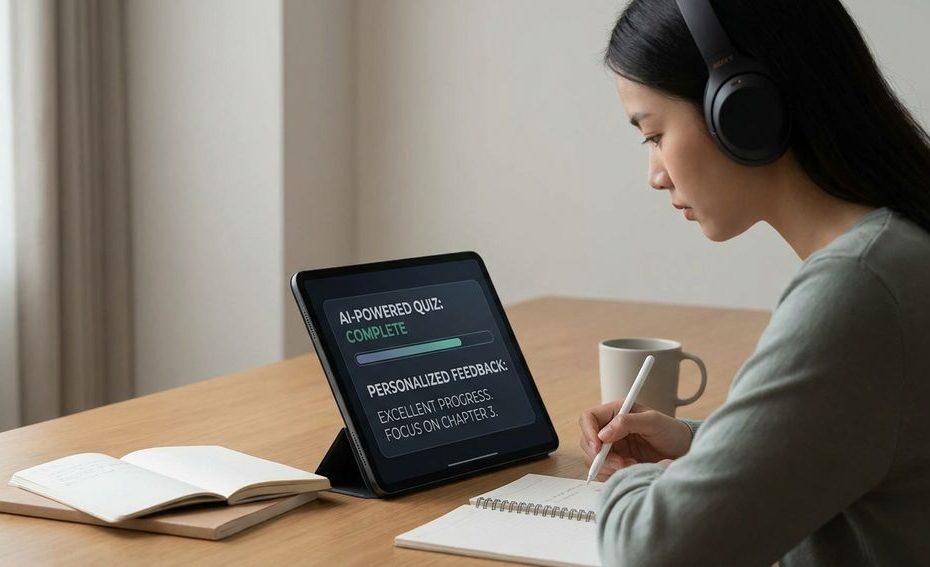
You can turn Artificial Intelligence (AI) into an AI practice partner by making it quiz you, challenge your recall, explain mistakes, and schedule re-tests before exam day. The best use is not asking AI for answers; it’s using AI to make you retrieve answers before you see feedback.
That matters because rereading notes can feel productive without proving you can recall the material under pressure. This article shows you how to use AI for practice questions, flashcards, mock exams, short-answer feedback, error drills, and targeted review. You’ll also get guardrails for checking AI output so you don’t memorize confident-sounding mistakes.
Why Rereading Notes Feels Good But Isn’t Enough Before Exams
Rereading gives you familiarity, and familiarity can feel like mastery. You see the same formula, definition, or theory again and your brain says, “Yes, that looks familiar.” The problem is that exams rarely ask you to recognize your notes on a page. They ask you to retrieve, apply, compare, calculate, explain, or choose under time pressure.
That gap is where AI can help, if you use it the right way. An AI practice partner should make you work before it gives you help. Ask it to hide answers, wait for your response, mark your reasoning, and then explain what needs fixing. If AI gives you the answer too early, you’ve turned it into a shortcut instead of a practice partner.
The Learning Science Behind AI Practice
Practice testing and spaced practice have strong support in learning science. The main idea is simple: you remember more when you pull information from memory, check it, and return to it after a delay. That is different from highlighting, copying, or rereading. Those activities can support studying, but they don’t test whether you can produce the answer on your own.
Use AI to create retrieval practice, active recall, and spaced repetition. Ask it to quiz you without showing the answer, then request feedback only after you respond. Ask it to revisit missed items later in the session and again in a shorter review plan. The goal is to create small moments of difficulty before your exam creates a larger one.
Ground Rules For Your AI Practice Partner
Start with your real course material. Give AI your syllabus topics, lecture headings, allowed textbook chapters, formulas, vocabulary lists, or your own notes. Avoid uploading private information, personal records, graded work with identifying details, or anything your school tells you not to share. If your institution has rules about AI use, follow them before using any tool for exam prep.
AI can produce plausible answers that are wrong, so verification is part of the study process. Treat every generated question, answer key, and explanation as a draft until you compare it with class notes, textbooks, instructor slides, or official practice materials. Use a prompt like: “Check these answers against only the course notes I provided. Flag anything uncertain, unsupported, or outside the syllabus.” If the tool can’t show where an answer came from, don’t memorize it yet.
1. Generate Practice Questions From Your Own Notes
The fastest way to turn AI into an AI practice partner is to feed it your notes and ask for questions that force recall. Ask for a mix of question types: short answer, multiple choice, fill-in-the-blank, calculation, definition, and application. Tell it to cover every heading in your notes instead of focusing on the easiest material. Add your exam level, course name, and instructor style if you know it.
Use a prompt like: “Create 20 practice questions from these notes. Do not show the answers yet. Ask one question at a time, wait for my answer, then grade it and explain the correction.” This keeps you from scanning the answer key before your brain has done the work. If the first set feels too easy, ask for harder versions that require comparison, reasoning, or multi-step problem solving. If the questions drift away from your notes, tell AI to revise them using only the material you supplied.
2. Turn Key Terms Into Flashcards With Spaced Review Prompts
Flashcards work best when they make you retrieve, not just recognize. AI can turn terms, formulas, dates, processes, cases, theories, or vocabulary into question-answer cards. Ask it to make the front of each card specific enough to trigger recall without giving away the answer. The back should include a short answer, a correction note, and a memory cue if needed.
Use a prompt like: “Turn these key terms into flashcards. Put only the question on the front. Put the answer, one common mistake, and one quick check question on the back.” Then ask AI to sort the cards into today, tomorrow, and later review groups based on your confidence ratings. Mark each answer as easy, shaky, or missed. Your missed cards should return soon, because spaced repetition only works when weak material gets another chance.
3. Run A Socratic Teach-Back Session
A teach-back session makes you explain a topic in your own words. AI’s job is to listen, question weak points, and push you to define terms you used too loosely. This is useful for history, biology, law-related coursework, psychology, literature, business, and any subject where you need to explain reasoning. It also helps with oral exams and essay planning because you practice making your thinking visible.
Use a prompt like: “Act as a Socratic tutor. Ask me one question at a time about this topic. Do not answer for me. If my answer is vague, ask a follow-up question that forces me to be more precise.” After a few rounds, ask AI to list what you explained well and what still needs review. Don’t accept praise as proof of readiness. Ask for one harder follow-up question before moving on.
4. Build A Timed Mock Exam In Your Instructor’s Format
A mock exam helps you practice pacing, attention, and stamina. Give AI the structure you expect: number of multiple-choice questions, short answers, essay prompts, problem sets, or case questions. Add the time limit and any allowed materials. Ask it to match your syllabus rather than create a generic test.
Use a prompt like: “Create a 45-minute mock exam from these topics. Include 15 multiple-choice questions, 5 short-answer questions, and 2 application questions. Do not include the answer key until I ask.” Set a real timer and complete the exam without pausing to ask for hints. Afterward, ask AI to grade your responses with a strict marking guide. Then compare the answer key against course materials before trusting any correction.
5. Ask AI To Grade And Explain Short-Answer Responses
Short-answer questions are hard to self-grade because you can feel close to the answer without earning full credit. AI can compare your response against a model answer and identify missing terms, weak reasoning, or unsupported claims. Ask for feedback by category: accuracy, completeness, clarity, and use of course language. This makes the feedback more useful than a simple score.
Use a prompt like: “Grade my answer out of 5 using this marking guide. Identify what I got right, what is missing, and one sentence I should rewrite.” Then rewrite your answer and ask AI to grade it again. This turns feedback into another retrieval attempt rather than a passive correction. Keep the final version short enough to remember, since exam answers need control, not rambling.
6. Convert Past Paper Questions Into Fresh Variations
If you have approved past papers or practice problems, AI can help you avoid memorizing the exact wording. Ask it to create new variations that test the same skill, formula, concept, or reasoning step. This is especially useful in math, science, economics, accounting, grammar, and logic-based subjects. It trains transfer: the ability to apply the same idea when the wording changes.
Use a prompt like: “Create five new questions that test the same concept as this practice question. Change the wording and numbers, but keep the difficulty similar. Hide the solutions until I answer.” After you finish, ask AI to compare the original and new questions. Ask which skill stayed the same and which details changed. That comparison helps you see the pattern behind the problem instead of memorizing one version.
7. Create Spot-The-Error And Distractor-Analysis Drills
Spot-the-error drills train you to notice wrong reasoning before it costs you marks. Ask AI to write a flawed answer, incorrect proof, weak paragraph, mislabeled diagram description, or mistaken calculation. Your task is to find the error before AI explains it. This is useful because many exam mistakes come from small slips that feel right in the moment.
Distractor analysis is useful for multiple-choice exams. Ask AI to explain why each wrong option is tempting and why it fails. Use a prompt like: “Create five multiple-choice questions. After I answer, explain why the correct option is correct and why each wrong option could confuse a student.” This trains judgment, not guessing.
8. Generate Compare-And-Contrast And Application Scenarios
Many exams test whether you can separate similar concepts. AI can create compare-and-contrast prompts that make you explain differences between theories, methods, characters, systems, formulas, cases, or processes. Ask for paired concepts that students often mix up. Then answer without looking at your notes before you request feedback.
Application scenarios move you beyond definitions. Use a prompt like: “Give me a short scenario that requires applying this concept. Do not name the concept in the question. After I answer, tell me whether I chose the right concept and why.” This is useful when your instructor likes questions that begin with a situation rather than a direct definition. It also reveals whether you can recognize when to use an idea, not just recite what it means.
9. Identify Weak Topics And Schedule A Re-Test
After each quiz, ask AI to track missed questions by topic. Don’t only ask for a score. Ask for a weakness map that groups errors by concept, skill, and mistake type. This helps you separate careless errors from real knowledge gaps.
Use a prompt like: “Based on my missed answers, list my weakest topics, rank them by urgency, and create a re-test plan for the next three study sessions.” Then ask for a shorter quiz that focuses only on the top weak areas. Re-testing matters because a corrected answer is easy to understand right after feedback, but harder to recall later. Your AI practice partner should bring the problem back after a delay.
How To Fact-Check AI-Generated Practice Material
Fact-checking starts before you memorize. Ask AI to label each answer with the source section from your notes, lecture slides, textbook chapter, or supplied material. If it can’t connect the answer to your material, mark that item as unverified. Then check the answer against a trusted course source before adding it to your flashcards.
Use a prompt like: “For each answer, show the exact course topic or note heading that supports it. If the answer is based on outside knowledge, label it as outside the provided material.” This protects you from studying material your exam may not test. It also reduces the risk of memorizing a confident but false explanation. For calculations, ask AI to show every step, then compare the method with your instructor’s preferred method.
Common Mistakes That Make AI Practice Less Useful
The biggest mistake is asking AI to summarize instead of making you retrieve. Summaries can help you organize, but they don’t prove you can answer a question on your own. Another mistake is letting AI explain too soon. If you see the explanation before you answer, the session becomes recognition practice instead of recall practice.
Overreliance is another risk. If you ask AI to rewrite every answer, solve every problem, or decide what matters without checking the syllabus, you may feel prepared without building independence. Keep control by answering first, checking second, and revising third. A good rule is simple: if AI is doing more thinking than you are, change the prompt.
A Quick 30-Minute Pre-Exam AI Study Routine
Start with five minutes of setup. Paste your topic list, select one weak area, and ask AI to make a short quiz without answers. Spend ten minutes answering under a timer. Don’t pause for hints, and don’t ask AI whether you’re right until the attempt is done.
Use the next ten minutes for grading and correction. Ask AI to mark your answers, explain mistakes, and create two follow-up questions from each missed item. Spend the final five minutes making a re-test list for later. This keeps the session tight, active, and focused on the material most likely to cost you marks.
How Can I Use AI To Study For Exams?
- Upload notes and ask for practice questions.
- Answer before seeing feedback.
- Create flashcards for weak topics.
- Run a timed mock exam.
- Fact-check answers before memorizing.
Make AI Earn Its Place In Your Study Plan
AI can be a useful exam partner when it makes you retrieve, explain, compare, and correct your own thinking. Use it to build questions from your notes, run timed practice, grade short answers, create fresh variations, and schedule re-tests. Keep the guardrails tight: protect private information, follow your school’s rules, and verify AI-generated answers before you trust them. The best study session still depends on your effort. Let AI handle the repetition and feedback, but make your brain do the remembering.
Reference Links
- Digital Education Council Global AI Student Survey
- Common Sense Media Report On Teen And Young Adult Views Of Generative AI
- Quizlet State Of AI In Education Report
- Dunlosky Et Al., Improving Students’ Learning With Effective Learning Techniques
- Roediger And Karpicke, Test-Enhanced Learning
- RetrievalPractice.org
- IBM Think, What Are AI Hallucinations?.

Maurizio Chiriva Internati (DBSc, PhDs) is a cancer immunologist and biotech entrepreneur with 20+ years in immuno-oncology. Co-founder and former CEO of Kiromic BioPharma (NASDAQ: KRBP), he has led AI-driven target discovery and translational programs, and has served on faculty at MD Anderson and Texas Tech.